
 Written by
 If you have ever sold something through word of mouth or a WhatsApp group, you already understand the basics of Nigeria classified ads. The difference is that YELLO.NG puts your offer in front of thousands of active buyers across Lagos, Abuja, Port Harcourt, and beyond, and it costs nothing. This walkthrough covers every click, every form field, and every mistake to avoid so your first ad goes live without a hitch.
Why Nigeria Classified Ads Still Work

Classified ads remain one of the fastest ways to connect a seller with a ready buyer in Nigeria. Walk through Balogun Market on a busy Saturday and you hear the same exchange everywhere: someone is looking for something, and someone else has it. Online classifieds simply move that conversation to your phone.
Three reasons these ads still pull weight: they cost nothing, they reach local buyers, and they appear in front of people who are already searching to buy. A seller in Surulere can list a fairly used generator and get a call from someone in Festac the same afternoon. A tailor in Wuse II can post services and pick up clients within walking distance. Unlike a social media post that scrolls past in seconds, a classified ad stays searchable for weeks.
Nigeria classified ads also close a trust gap. When a buyer can see the seller’s location, phone number, and real photos of the item, they feel confident enough to reach out. That confidence is what turns a listing into a transaction.
Step 1: Create Your Free Account
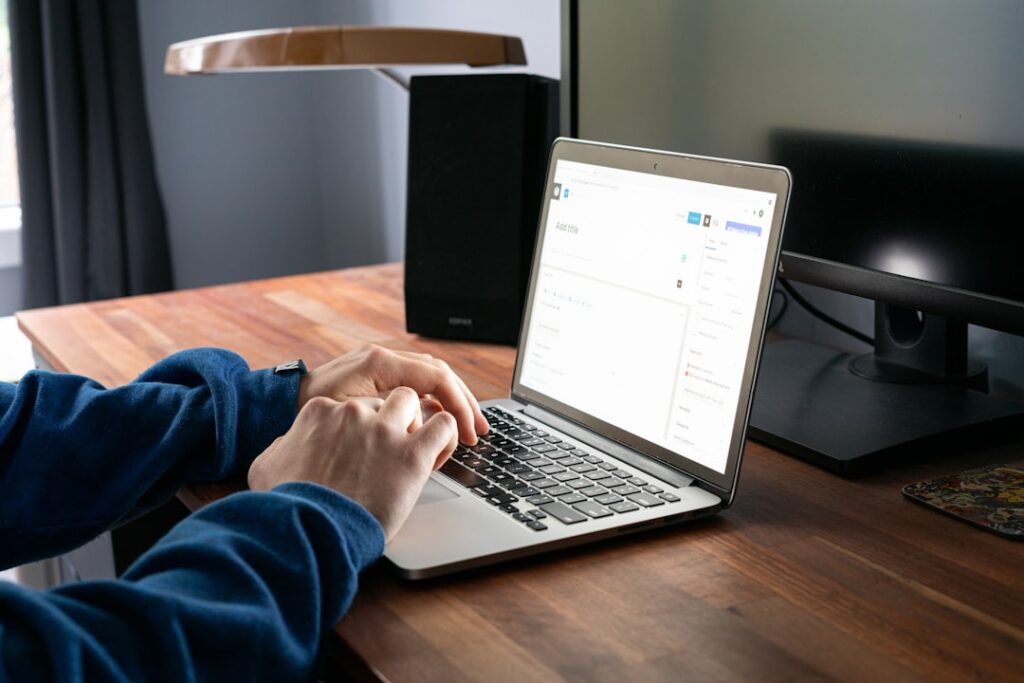
Open your browser and go to the YELLO.NG homepage. Look at the top right corner of the screen. You will see a button labeled “Register” next to the “Login” button. Click it, and a short registration form appears on a clean white card centered on the page.
Fill In the Registration Form
The form has four fields stacked vertically. Here is what each one asks for and how to fill it correctly:
- Full Name: Type your real name, not a nickname or a business name. Buyers want to know they are dealing with a person. If you sell on behalf of a business, you can mention the business name in your ad description later.
- Email Address: Enter an email you actually check. YELLO.NG sends a verification link to this address, and buyer messages through the platform route here too. Using an old email you never open means missing inquiries from interested buyers.
- Phone Number: This field is critical. Enter your active WhatsApp or call number. Buyers in Nigeria prefer to call directly rather than exchange long text messages. This number appears on your listings so buyers can reach you without delay.
- Password: Choose something you can remember but others cannot guess. A mix of uppercase letters, lowercase letters, and numbers works best.
After filling in these fields, click the “Create Account” button at the bottom of the form. It is usually highlighted in a bright color so it stands out from the rest of the page. Within a minute, a verification email lands in your inbox. Open it and click the confirmation link inside. That click activates your account and redirects you to your dashboard.
If you want to skip the typing, look for a “Sign in with Google” button below the form. One click and you are in, no password to remember.
Explore Your Dashboard
Your dashboard is your control room. The main menu typically runs along the left side or across the top, with options like “Post Ad,” “My Ads,” “Messages,” and “Profile.” From here, you can post new ads, manage existing ones, edit details, delete old listings, and see how many views each ad receives. Spend a minute clicking through the menu before you post your first ad so you know where everything lives.
Step 2: Write an Ad That Sells
From your dashboard, locate and click the “Post Ad” or “Post Free Ad” button. The listing form loads on a new page with a progress indicator at the top, usually showing steps like Category, Details, Photos, and Review. Work through each step in order.
Choose the Right Category
The first field asks you to select a category from a dropdown menu. YELLO.NG organizes listings into sections like Electronics, Vehicles, Real Estate, Jobs, Services, Fashion, and more. After selecting a main category, a second dropdown may appear for subcategories. Pick the one that best matches your item.
A common mistake is listing a phone case under “Electronics” when a “Mobile Phones and Accessories” subcategory exists. Buyers browsing that specific subcategory will never see your ad. Take ten seconds to scroll through the options and pick the most precise one.
Write a Title That Gets Clicked
Your ad title is the most important field on the entire form. It is what buyers see first in search results, often before anything else loads. A vague title like “Laptop for sale” tells them nothing and gets scrolled past. A strong title packs in the details that matter: brand, model, key specs, condition, and location.
Think about the buyer in each city. Lagos buyers scan fast and want specs and price signals at a glance. A title like “Toyota Corolla 2010, Tokunbo, Lagos, ₦4.5M” answers their questions before they click. Abuja buyers often prioritize condition and reliability, so include words like “neat,” “low mileage,” or “foreign used” if they apply. Port Harcourt buyers care about location and reachability, so adding “PH” or “Rivers State” helps them decide quickly whether the item is within reach.
Write a Description That Answers Questions
The description field is a large text box below the title. This is your sales pitch. Start with the most important details in the first two lines because that is what appears in the preview before buyers click “Read more.”
Cover these points in your description:
- What the item is: brand, model, year, and key specifications
- Condition: how long you have used it and any wear and tear
- What is included: charger, warranty, accessories, original packaging
- Why you are selling: optional, but honesty builds trust fast
- Location: your area and whether you offer delivery
- Price and negotiability: state the price clearly and whether you accept offers
Do not copy and paste the manufacturer’s product description. Buyers can find that on any retail website. What they cannot find anywhere else is your firsthand experience: how the item performs in daily use, what condition it is really in, and why it is worth their money. Read the first two lines of your ad aloud. If they do not answer “what is it, what condition, and where is it,” rewrite them.
| Element | Weak Example | Strong Example |
|---|---|---|
| Ad Title | Laptop for sale | HP Pavilion 15, Core i5, 8GB RAM, 256GB SSD, Fairly Used, Ikeja |
| Description Opener | Good laptop, contact me | Bought in 2023, barely used. Battery holds 4+ hours. Comes with original charger and laptop bag. |
| Location Field | Lagos | Computer Village, Ikeja. Available for inspection on weekdays. |
If you have your item ready, open YELLO.NG in another tab and follow along as we cover photos and pricing next.
Step 3: Add Photos and Set Your Price

Upload Real Photos
After the description field, you will see a photo upload section. It is usually labeled “Upload Photos” with a dashed-border drag-and-drop zone and a “Browse Files” button. This section can make or break your ad.
Take photos with your phone in good natural light. Daylight near a window works far better than a flash, which flattens details and distorts colors. Capture the item from multiple angles: front, back, both sides, and close-ups of any specific features or flaws. If there is a scratch or dent, photograph it honestly. Buyers who come to inspect and find hidden damage will walk away, and they will warn others in their network.
Do not download stock images from the internet. Moderators on YELLO.NG check for this, and ads with stock photos get rejected automatically. The entire point of a classified ad is showing the buyer the actual item they are considering.
Aim for three to five clear photos. Listings with multiple photos consistently get more views and more inquiries than those with a single image.
Set a Price in Naira
The price field sits below the photo section. It expects a number in naira. Type the full amount without commas or currency symbols. For example, enter 4500000 rather than ₦4,500,000. The platform formats it automatically on your live listing.
Research what similar items sell for before you set your price. Look at active ads for the same product in similar condition. If you are selling a fairly used iPhone 12, check what others are asking and price within that range. A price that is too high will sit for weeks. A price that is too low will make buyers suspicious.
If your price has some flexibility, look for a “Negotiable” checkbox or toggle near the price field. Ticking it tells buyers there is room for discussion, which often brings more people to the table. Many Nigerian buyers expect to negotiate, so leaving this option open can work in your favor.
When you are satisfied with the photos and price, scroll to the bottom of the form and click the “Submit” or “Post Ad” button. A confirmation message appears on screen, and your ad enters the review queue.
Common Mistakes That Get Ads Rejected
Even a well-written ad can get rejected if it breaks platform rules. Here are the most common reasons ads fail review and how to fix each one before you submit.
| Mistake | Why It Gets Rejected | How to Fix It |
|---|---|---|
| Stock photos instead of real ones | Moderators verify that photos show the actual item | Take clear photos of the item with your phone |
| Price in dollars or ambiguous currency | YELLO.NG lists prices in naira only | Convert to naira before entering the price |
| Phone number typed in the description | System flags it as potential spam | Use the dedicated phone number field on the form |
| Duplicate listings for the same item | Posting the same ad multiple times clutters search results | Post one ad and use the renew feature to keep it visible |
| Title does not match the item | Misleading titles trigger automatic rejection | Make sure the title describes exactly what you are selling |
Beyond these technical issues, some ads get rejected because they feel dishonest. If your title says “Brand New iPhone 14 Pro Max” but your price is ₦150,000, that gap raises an immediate red flag. Moderators exist to protect buyers from bait listings. Keep your title, description, photos, and price consistent with reality, and your ads will pass review on the first try.
Frequently Asked Questions
Here are answers to the most common questions from first-time sellers on YELLO.NG. If your question is not covered here, the support team is reachable through your dashboard.
Post Your Free Ad Now on YELLO.NG
You now know how to create an account, write a description that sells, upload real photos, set a fair price, and avoid the mistakes that get ads rejected. The only thing left is to post your first ad.
Go to YELLO.NG, sign in to your account, and click “Post Ad.” Fill in the fields following the steps above, upload your photos, set your price, and hit submit. Your listing goes live within minutes, and buyers across Lagos, Abuja, Port Harcourt, and every corner of Nigeria can find you.
Whether you are selling a fairly used phone, renting out a flat, offering electrical services, or clearing out your wardrobe, YELLO.NG gives you the platform to reach ready buyers without paying a kobo. Your first ad takes less than five minutes to create. Post it today and see how fast the right buyer finds you.
Frequently Asked Questions
How long does it take for my ad to appear on YELLO.NG?
Most ads go live within minutes after you submit them. Ads that trigger a manual review, such as property listings or high-value items, may take a few hours before they appear publicly.
Is it really free to post classified ads on YELLO.NG?
Yes. Creating an account and posting standard ads is completely free. YELLO.NG also offers optional paid features like featured listings that boost your ad’s visibility, but these are not required to sell.
Can I edit my ad after it is published?
Yes. Log into your account, go to your dashboard, find the ad you want to update, and click Edit. You can change the price, description, photos, or any other detail without creating a new listing.
How do I stay safe when meeting a buyer in person?
Always meet in a public place during daylight hours, such as a shopping mall or busy market. Bring a friend if possible, confirm payment before handing over the item, and prefer bank transfer for large amounts so you can verify receipt instantly.
What should I do if my ad gets rejected?
Check the rejection reason in your dashboard or email notification. Common fixes include replacing stock photos with real ones, correcting the price to naira, and removing phone numbers from the description field. Once you make the changes, resubmit the ad for review.